
SSH, SFTP, Docker and Remote Desktop in one window.
bawkterm keeps your hosts, passwords and keys in an encrypted vault, and syncs them between your devices through a server you run.
The bawkterm chicken pecks a command into a server over SSH, lays files into it as eggs, herds Docker containers into their Compose project, and sits on the locked vault.
Features
Welcome to Ubuntu 24.04.3 LTS (GNU/Linux 6.8.0-85-generic x86_64)

Last login: Sun Oct  5 18:42:07 2026 from 10.0.0.12
deploy@web-1:~$ uptime
 19:03:44 up 41 days,  2:17,  1 user,  load average: 0.08, 0.12, 0.10
deploy@web-1:~$ systemctl status app --no-pager --lines 0
● app.service - app server
     Loaded: loaded (/etc/systemd/system/app.service; enabled; preset: enabled)
     Active: active (running) since Mon 2026-09-28 19:57:12 UTC; 1 week 0 days ago
   Main PID: 48213 (node)
      Tasks: 11 (limit: 4558)
     Memory: 86.4M (peak: 112.0M)
        CPU: 41min 7.312s
     CGroup: /system.slice/app.service
             └─48213 node /srv/app/current/server.js

deploy@web-1:~$ ls /srv/app/releases
202609281957  202610051842
deploy@web-1:~$
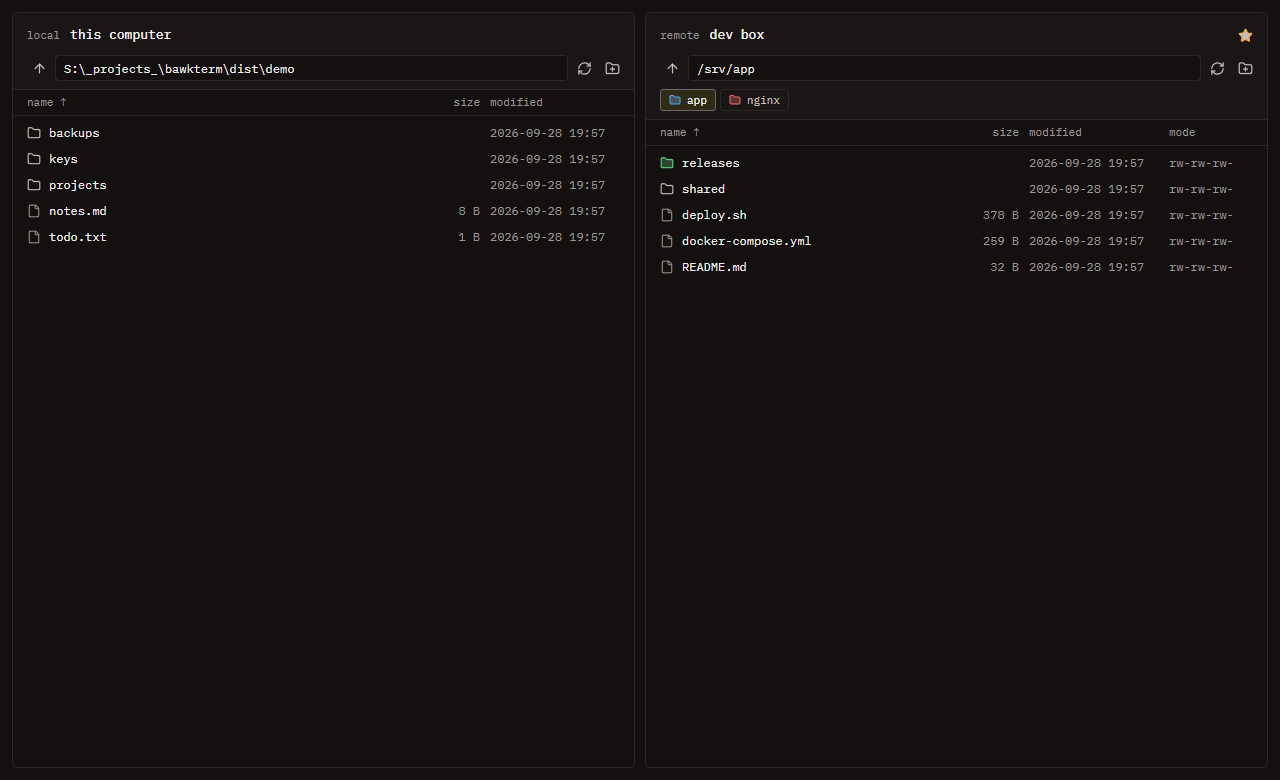
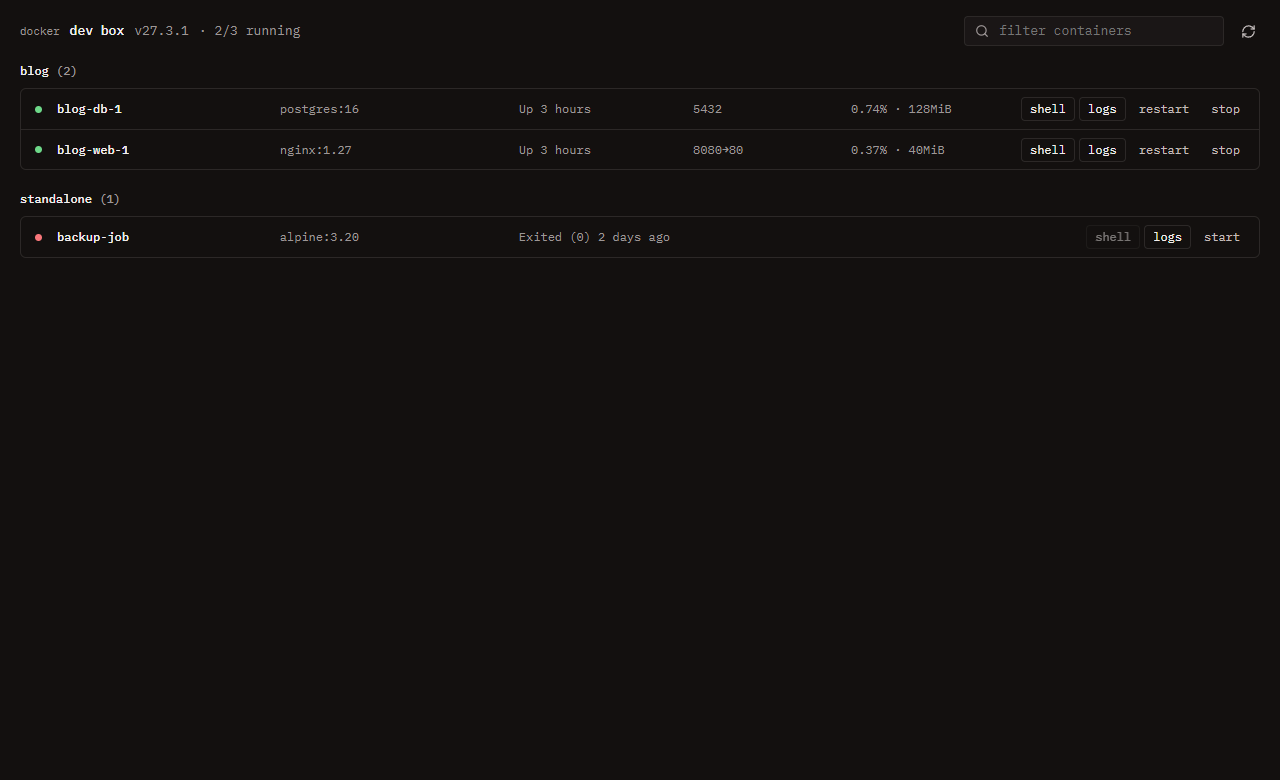
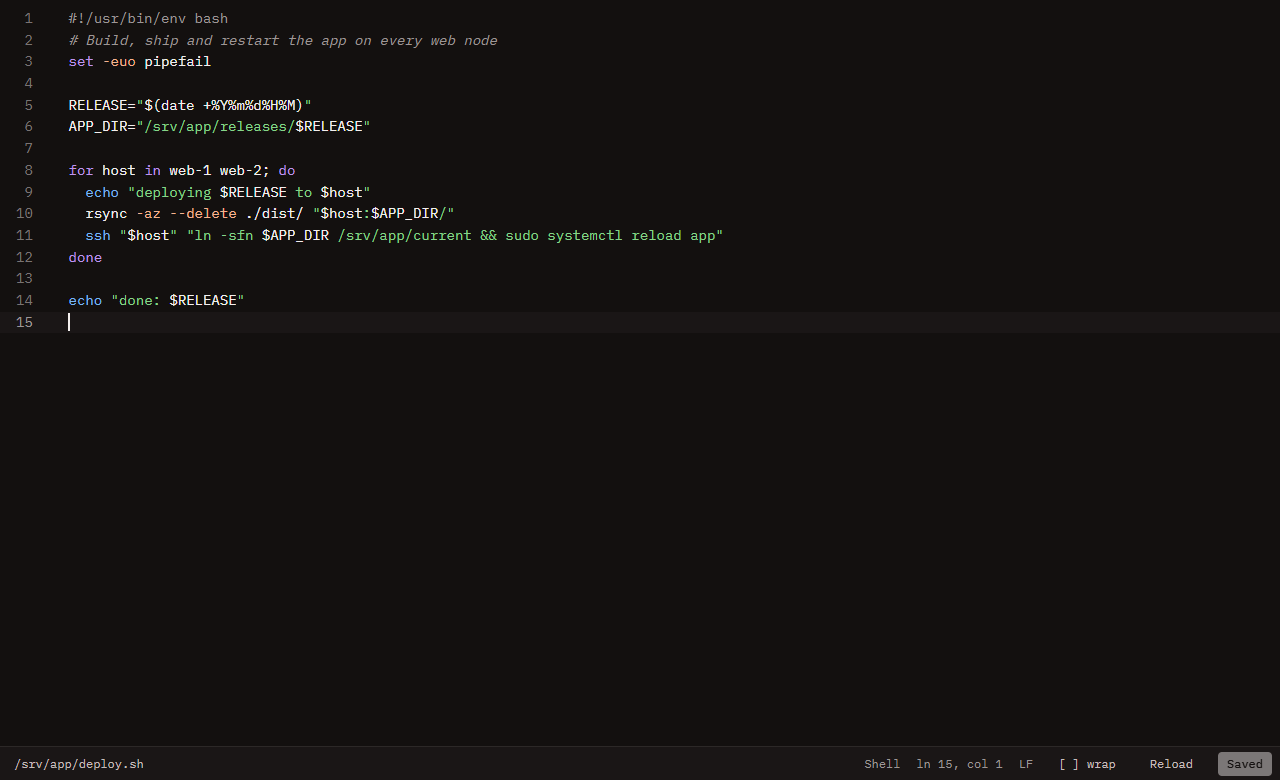
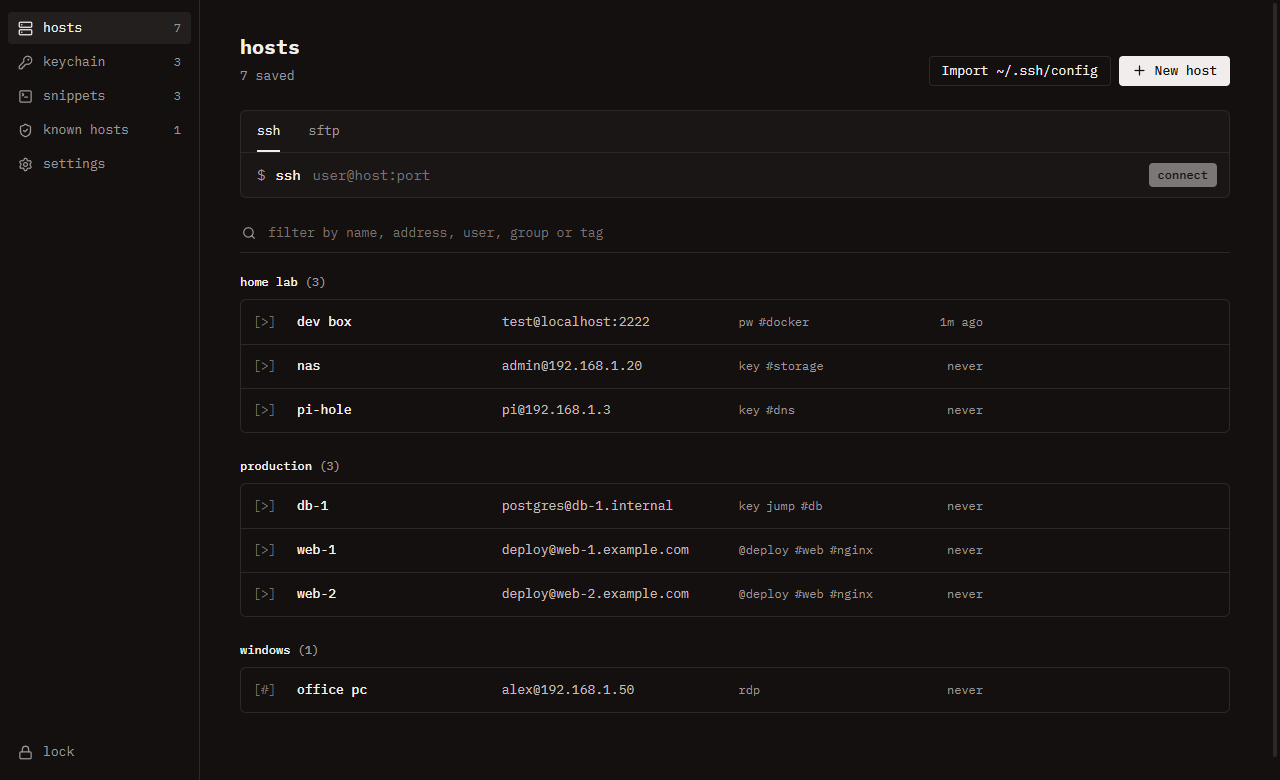
Hosts in folders, with tags and saved identities. Bring them over from ~/.ssh/config.
Terminal tabs with WebGL rendering, chained jump hosts, agent auth with FIDO2 keys and auto-reconnect.
Local and remote side by side, with drag and drop, recursive transfers and favorite folders.
Containers grouped by Compose project, with CPU and memory, and a shell or live logs in a tab.
Remote files open in a tab, highlighted for about 100 languages. CmdCtrl+S saves them back.
- remote desktop
- Opens Windows Remote Desktop, or FreeRDP 3 on macOS and Linux, already signed in. It can go through an SSH jump host.
- keychain
- Generate ed25519, RSA and ECDSA keys. Import OpenSSH, PEM and PuTTY keys.
- snippets
- Saved commands you run from CmdCtrl+Shift+S.
- themes
- 31 terminal themes. Or bring your colors, font and cursor from Windows Terminal, Alacritty, Ghostty, Kitty, WezTerm, iTerm2 or Warp.
Security
Your vault is encrypted on your device. The sync server only ever holds ciphertext.
- vault
- AES-256-GCM under a random 256-bit key.
- password
- Stretched with scrypt to wrap that key. Never stored or logged.
- unlock
- Windows Hello, a passkey or your system keyring, if you turn them on.
- isolation
- Secrets stay in the main process. The window only learns that a key exists.
- host keys
- Trusted on first use. A changed key blocks the connection.
- updates
- Installed only when the SHA-512 checksum matches.
{
  "id": "391TRgMas_ZDne3eWG9K5tr50UoiyKMTAg-HDGcT2cs",
  "seq": 1288,
  "updatedAt": 1791277146423,
  "deleted": false,
  "blob": "M71bDWdOboqLhN7MOeU6y_L9KHCa0TZoPSGRZc_h5M0WyxMOh70gEfrpQb21nVPYrc0Yc3gX4bRR8arB86VGb9b9BNyMJ6qnS2TTc5NpgJcCwUzumljPzoklhGRlPo3A1EMsvfmeI2rFr05soyNFWg…"
} Install
Windows
bawkterm-0.8.0-setup.exe 108 MB
Updates itself. Not code-signed yet, so SmartScreen asks once: choose More info, then Run anyway.
macOS
Apple silicon 123 MBIntel 129 MB
Not signed with an Apple Developer ID yet. On first launch, allow it under System Settings, Privacy & Security, then Open Anyway.
Debian, Ubuntu
bawkterm_0.8.0_amd64.deb 96 MB
sudo apt install ./bawkterm_0.8.0_amd64.deb Fedora, RHEL, openSUSE
bawkterm-0.8.0.x86_64.rpm 86 MB
sudo dnf install ./bawkterm-0.8.0.x86_64.rpm Arch
yay -S bawkterm-bin Flatpak
bawkterm-0.8.0-x86_64.flatpak 89 MB
flatpak install --user ./bawkterm-0.8.0-x86_64.flatpak AppImage
bawkterm-0.8.0.AppImage 121 MB
chmod +x bawkterm-0.8.0.AppImage SHA256SUMS.txt lists a checksum for every file. To build bawkterm yourself, follow Build from source.